Primavera P6
File import (.xer)
- Activities and WBS
- Planned baseline and forecast finish
- S-Curve by month
 ePM360for Citaglobal BerhadOpen workspace
PROJECT MANAGEMENT INFORMATION SYSTEM
Primavera P6 schedules, AutoCount invoices and costs, and Excel registers joined by project code. Progress, cost, margin and the reports people owe, in one workspace.
INSIDE THE WORKSPACE
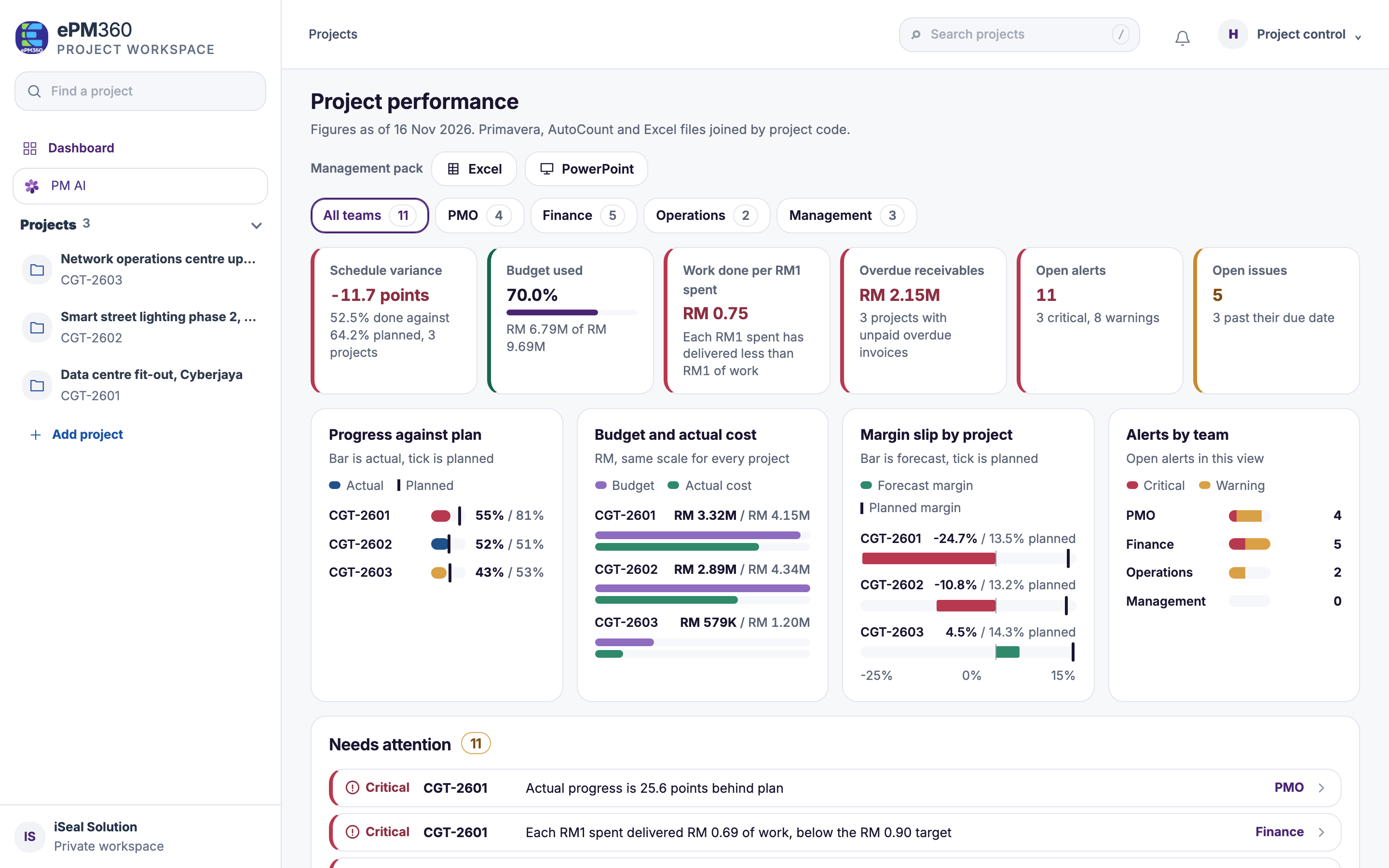
Schedule, cost, receivables and alerts for every project, with a view for each team.
Captured from the demo workspace with sample project files. Names are hidden.THREE SOURCES, ONE PROJECT CODE
Planners upload P6, finance works in AutoCount and project control keeps Excel. ePM360 joins them on the project code, so CGT-2601, CGT2601 and cgt 2601 are the same project on every page.
File import (.xer)
Live API connection, checked every minute
File import, or a shared Google Drive folder
A file with a wrong value is held, not imported. The person in charge of it is told the row and column to fix, and the figures stay as they were until the file is right.
WHAT IT DOES
The dashboard, each project page, PM AI and the management pack read one calculation, so a project shows the same progress, cost and health wherever you look.
 01
Schedule variance, budget used, overdue receivables and open alerts across every project. Each team sees its own alerts.
 02
Planned baseline, recorded actual and the P6 forecast finish, with the delayed tasks listed first.
 03
Work done for every RM1 spent, budget used and forecast margin against plan, from AutoCount and Excel.
 04
Ask a contractor for a report. PM AI reminds them on Telegram until the file arrives, and marks it Not sent when the deadline passes.
 05
Ask which projects are behind, where margin is at risk or who still owes a report. Answers come only from the calculated figures.
 06
One click builds an Excel workbook and a PowerPoint deck with the same figures as the dashboard.
WHO IT SERVES
Project team
Delayed tasks, milestones, open issues and deliverables.
Finance
Invoices, overdue receivables, actual cost and margin.
Management
Portfolio alerts, margin at risk and the management pack.
Contractors
One link per request. Send a photo or a file from the phone.
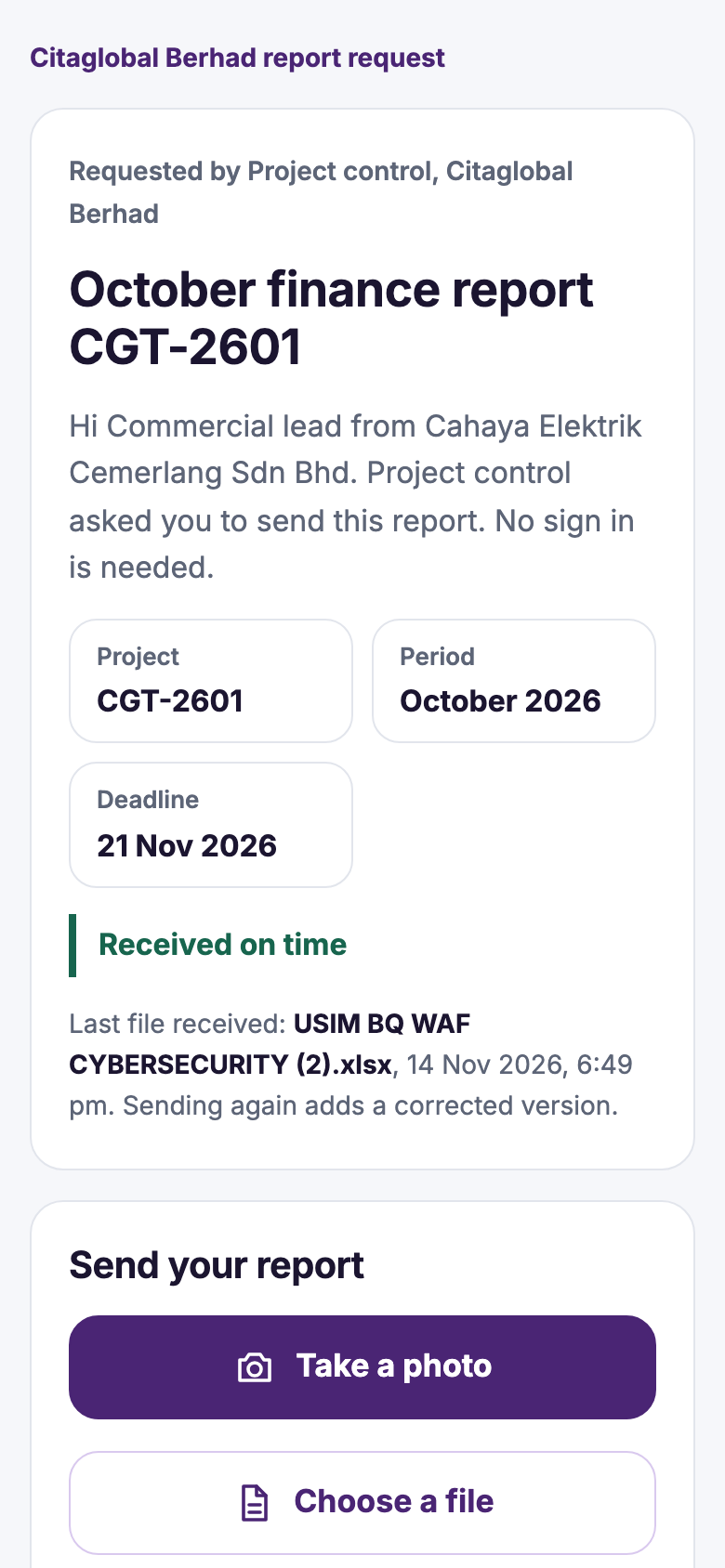
FROM SITE
SUGGESTED NEXT STEP
A proposal for discussion. Scope, timing, responsibilities and commercials are agreed separately.
Agree one representative project and its owners.
Confirm the reports, roles, files and approval needs.
Set a baseline for update effort and information completeness.
Assess usability, gaps and the wider rollout decision.

ABOUT ISEAL SOLUTION
Based in Kuala Lumpur. Technology services shaped around how an organisation actually runs its projects. For ePM360, the work starts with the project process and the reports management needs.
FOR THE CITAGLOBAL TEAM
Sign in with the account your administrator created for you.
Open workspace